Error Logging Best Practices for SMBs
Clear error logging practices for SMBs: log critical events, use JSON structure, apply levels, enforce retention, and centralize logs to cut MTTR and costs.

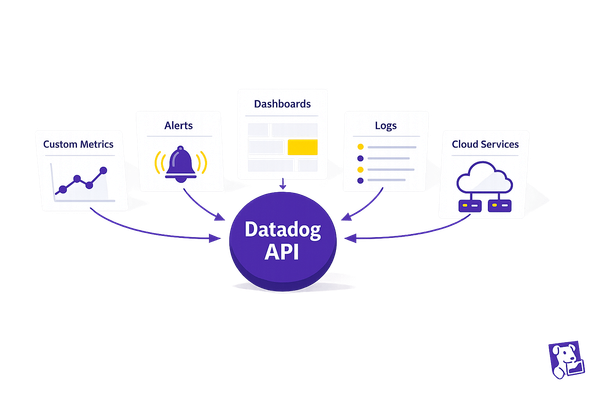
Error logging can make or break your SMB’s ability to handle issues efficiently. Without a solid system, you risk wasting time, increasing costs, and missing critical problems. Here’s the deal: focus on logging the right events, structuring logs for clarity, and keeping costs under control. Tools like Datadog can simplify this by grouping similar errors, adding context, and centralizing your logs.
Key Takeaways:
- Log What Matters: Prioritize critical events like application errors, security issues, and system failures. Avoid logging unnecessary details.
- Use Structured Logs: Opt for JSON format to make logs easier to search and analyze.
- Apply Log Levels: Categorize logs (e.g., DEBUG, INFO, ERROR) to filter noise and focus on urgent issues.
- Set Retention Policies: Rotate logs regularly and keep only what’s needed to save storage costs.
- Centralize Logs: Use platforms like Datadog to organize and analyze logs in one place.
By following these practices, you’ll reduce troubleshooting time, manage costs, and improve reliability without needing a large DevOps team.
12 Logging BEST Practices in 12 minutes
1. Choose What to Log
When deciding what to log, focus on events that truly matter. Logging everything without purpose can lead to skyrocketing storage costs, slower system performance, and teams overwhelmed by irrelevant data. Instead, take a strategic approach to capture only the most critical information.
1.1 Focus on Critical Events and Errors
Your logging efforts should center on events that directly affect your business operations and user experience. Here are the key areas to prioritize:
Cloud cost management is a must. Real-time insights into cloud spending can help you catch unexpected cost spikes early. Log events that trigger alerts when spending surpasses thresholds or when resource usage patterns shift unexpectedly.
Application errors demand immediate attention. Track issues like unhandled exceptions, failed API requests, database connection problems, and timeout errors. For Python applications, for instance, log stack traces and the conditions that caused the error to get to the root of the issue quickly.
System stability events are equally important. Log updates like Docker Agent changes, service restarts, and configuration modifications that might lead to downtime. Permission failures from monitoring agents should also be logged to ensure uninterrupted data collection.
Security events cannot be ignored. Log authentication failures, unauthorized access attempts, privilege escalations, and unusual activity patterns. These logs are vital for audits and incident investigations.
API metric issues need careful monitoring. Keep track of rate-limiting events, payload validation failures, and response time anomalies. These could signal performance issues or problems with third-party integrations.
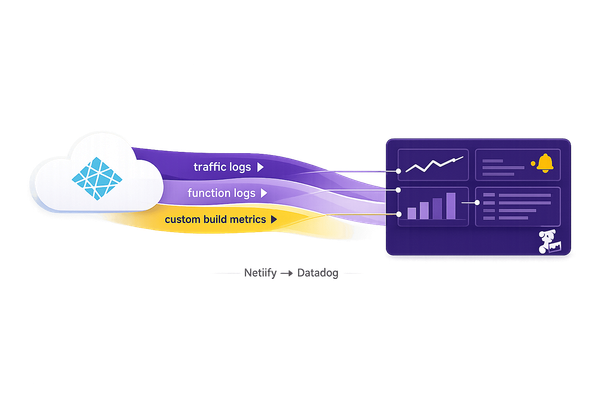
For businesses using PaaS platforms like Vercel, Heroku, or Render, log key metrics affecting application performance. Examples include build failures, deployment events, and resource scaling changes that could impact service availability.
1.2 Limit Unnecessary Logging
Logging too much can clutter your data and make it harder to spot critical issues. Apply the 80/20 rule: focus on the logs that provide the most value while minimizing unnecessary noise.
- Debug-level logs in production are rarely needed. Save these for development or staging environments, or enable them temporarily for troubleshooting specific issues.
- Routine successful operations don’t need to be logged. Skip logging for tasks like successful health checks or normal database queries. Focus on failures and anomalies instead.
- Duplicate information across multiple sources wastes resources. For example, if your load balancer, application server, and monitoring agent all log the same HTTP request, choose one as the authoritative source.
- High-frequency events can overwhelm your system. Instead of logging every occurrence, sample a subset of these events to maintain visibility without overloading your storage.
To identify unnecessary logs, use tools like Datadog's cost management features. Review which log sources take up the most storage but are rarely queried. These are good candidates for filtering or removal.
1.3 Add Metadata for Context
Logs without context are like puzzles with missing pieces. To troubleshoot effectively, you need detailed, actionable information about what went wrong and why.
- Timestamps are critical. Every log entry should include an exact timestamp to help you trace the sequence of events across systems.
- User identifiers provide insight into the impact. Use user IDs, session IDs, or tenant IDs (avoiding personal data) to determine whether an issue affects one user or many.
- Request context is invaluable for debugging. Log request IDs, HTTP methods, API endpoints, and response codes to trace a transaction through your system.
- Environment details clarify where the issue occurred. Include the service name, version, deployment environment (e.g., production or staging), and host or container ID.
- Error specifics should be thorough. Capture error codes, messages, stack traces, and the operation that failed. Tools like Datadog's Error Tracking can even suggest likely root causes, such as failed requests or code exceptions, to speed up troubleshooting.
- Resource identifiers pinpoint problem areas. Log database names, queue names, external service endpoints, and other resources involved in the operation.
Adding this metadata upfront can save significant time during troubleshooting. A well-detailed log entry makes it easier to reproduce the issue and determine where to start investigating, ultimately saving your team hours of frustration.
2. Create Consistent Log Structures
Once you've decided what to log, the next step is ensuring that every log entry is uniform and actionable. A standardized log structure can significantly reduce debugging time by making it easier to search, filter, and analyze logs across your systems. For small and medium-sized businesses (SMBs) managing multiple applications, this consistency is a game-changer when troubleshooting complex issues.
2.1 Use JSON Structured Logs
JSON has become the go-to format for structured logging in modern cloud environments. Its standardized structure allows platforms to parse, filter, and index logs automatically, removing the guesswork from analysis. This is particularly helpful when diagnosing problems in distributed systems.
In 2022, Netflix's platform team adopted structured logging with correlation IDs for their microservices architecture. This enabled them to track a single user request across over 200 services, drastically cutting down the time it took to debug complex issues (Netflix Technology Blog, 2022).
To get started, focus on including essential fields in your log entries. For SMBs, this might look like:
- timestamp: Use the ISO 8601 format (YYYY-MM-DDTHH:mm:ss.sssZ) for clarity and timezone compatibility.
- level: Specify the severity of the log (e.g., ERROR, WARN, INFO, DEBUG).
- message: Provide a clear, human-readable description of the event.
- service: Identify the application or service generating the log.
- trace_id: Include a correlation ID to trace requests across systems.
- error_code: Add a code to categorize errors consistently.
- environment: Indicate whether the log is from production, staging, or development.
Choose a logging library that supports structured JSON output. For example, Winston is an excellent choice for Node.js, Serilog works well with .NET, and Logback is ideal for Java applications. Automatically inject common context - such as service name, version, and environment - into every log entry to save time and ensure consistency.
If you're dealing with legacy systems, tools like Datadog pipelines can convert unstructured logs into JSON format, enabling centralized analysis without requiring major code changes.
2.2 Write Clear Log Messages
A consistent log structure is only effective if the messages themselves are clear and precise. Ambiguous logs like "Operation failed" leave engineers guessing, while something more descriptive - like "Failed to connect to PostgreSQL database 'orders_db' after 3 retry attempts: connection timeout" - immediately highlights the issue.
Every log message should answer the what, where, and why. For instance, instead of saying, "API request failed", write, "POST request to /api/v2/payments failed with 503 Service Unavailable: payment processor timeout after 30 seconds."
Establish naming conventions across all services to avoid confusion. For example, if one team logs "user_id" while another logs "userId" or "user_identifier", correlating logs becomes unnecessarily complicated. Adopting a consistent style, such as snake_case, can simplify things.
Avoid cryptic abbreviations. Spell out terms to minimize misunderstandings, especially for new team members or when logs are reviewed long after an incident. Additionally, use specific metrics rather than vague descriptions. For example, replace "Too many requests" with "Rate limit exceeded: 1,247 requests in 60 seconds (limit: 1,000 requests per minute)." This level of detail helps teams quickly assess the severity of the issue.
In 2023, Shopify's engineering team transitioned from unstructured to JSON-structured logging. This shift reduced their mean time to resolution (MTTR) for production incidents by standardizing key fields like request IDs, service names, and error contexts across 500+ microservices (Shopify Engineering Blog, 2023).
While detailed context is important, avoid overloading logs with excessive information. Keep error messages concise and move verbose data - like stack traces or request payloads - into dedicated fields.
2.3 Exclude Sensitive Data from Logs
Logging sensitive information can lead to security and compliance issues. Regulations like GDPR, HIPAA, and PCI-DSS mandate strict handling of personally identifiable information (PII) and payment data, making it essential to carefully control what gets logged.
Develop a "do not log" list for sensitive data. This should include passwords, API keys, authentication tokens, credit card numbers, social security numbers, email addresses, phone numbers, and any other information that could compromise privacy or security.
Use automated redaction to mask or strip sensitive data before logs are stored. For instance, if a credit card number appears in a log, it should be masked as "--****-1234."
In 2023, Stripe implemented automated PII redaction in their structured logs. This system ensured sensitive payment data - like credit card numbers, API keys, and email addresses - was masked before storage, reducing the risk of log-related security incidents (Stripe Engineering Blog, 2023).
When tracking user-specific issues, rely on identifiers like user IDs or session IDs instead of personal data. This approach preserves context for debugging while maintaining privacy. Sanitize request and response data by logging only the non-sensitive fields necessary for analysis. For example, you might log the HTTP status code, response time, and endpoint but exclude sensitive payload details.
Regularly audit your logs to catch any accidental exposure of sensitive information. Automated scanning tools can help identify patterns that may have bypassed redaction rules, allowing you to refine your masking logic.
Lastly, train your team on data privacy best practices and set up log retention policies that align with compliance requirements. This ensures sensitive information doesn’t linger longer than necessary, reducing the risk of exposure.
3. Use Log Levels
Log levels are essential for managing error logging effectively. They categorize logs by severity, helping teams prioritize issues. For small to medium-sized businesses (SMBs) with limited engineering resources, assigning the right log levels can prevent wasted time on false alarms and ensure critical problems are addressed before they affect customers.
Without a clear strategy, all errors can seem equally urgent, leading to alert fatigue. A consistent log level approach helps filter out unnecessary noise, focus on high-priority incidents, and keep your team concentrated on resolving the most pressing issues.
Let’s dive into the standard log levels and how to use them effectively.
3.1 Learn Standard Log Levels
Most logging systems recognize five common log levels: DEBUG, INFO, WARNING, ERROR, and CRITICAL. Each serves a distinct purpose:
- DEBUG: Captures detailed technical information for diagnosing issues during development. Since DEBUG logs can impact performance and storage, they’re typically turned off in production environments.
- INFO: Records routine events that indicate normal system operations, like successful logins, completed API calls, or configuration updates. INFO logs create a baseline for understanding normal behavior, making it easier to identify unusual activity.
- WARNING: Highlights potential problems that don’t immediately disrupt functionality but may require attention, such as nearing resource limits, deprecated API usage, or retries after transient errors.
- ERROR: Points to failures that prevent specific operations from completing, such as database query errors, unhandled exceptions, or failed transactions. These logs signal issues that need investigation and resolution.
- CRITICAL: Represents severe failures that threaten system stability or data integrity, like full service outages, memory exhaustion, or major security breaches. CRITICAL logs demand immediate action.
When setting log levels, it’s important to note that selecting a specific level (e.g., WARNING) automatically includes all higher-severity logs (e.g., ERROR and CRITICAL) while excluding lower-severity ones (e.g., DEBUG and INFO). This hierarchy ensures that only relevant logs are captured based on the environment and operational needs.
3.2 Apply Log Levels Correctly
Knowing what each log level represents is only half the battle - applying them consistently across your systems is where the real challenge lies. Misclassifying events, like marking every failed login as an ERROR instead of a WARNING, can clutter your logs and obscure critical issues.
For instance, a caching timeout might be logged as a WARNING if a fallback mechanism is in place. However, if the cache is vital to operations, the same event could warrant an ERROR classification. Always consider the broader business impact, not just the technical details.
Tools like Datadog’s Error Tracking can simplify this process by automatically grouping errors based on type, message, and stack trace. It even assigns suspected cause labels, such as code exceptions or failed requests, offering an initial hypothesis for root causes. This feature is particularly helpful for SMBs with limited DevOps resources, as it reduces manual effort and streamlines error categorization.
To maintain consistency, establish clear guidelines for assigning log levels and document specific examples. For instance:
- Log failures in the checkout process as ERROR.
- Mark response time slowdowns beyond a certain threshold as WARNING.
- Treat complete service outages as CRITICAL.
Regular audits of your logging practices can help identify and correct any misclassifications. Additionally, adjust log level configurations based on the environment. For example, a staging environment might use DEBUG logs for troubleshooting, while production environments should prioritize higher-severity logs to optimize performance and reduce costs.
4. Configure Timestamps and Timezones
Accurate time data is the foundation of any effective error logging system. Timestamps play a critical role in tying together logs from various systems, services, and applications. Without precise timestamps, tracing the sequence of events - especially in distributed systems - becomes a daunting task. Even minor clock drift can obscure the order of events, making incident investigations unnecessarily complicated.
Imagine a scenario where a database timeout leads to an API failure, which then causes a frontend crash. To unravel this chain of events, synchronized timestamps are essential. Inconsistent timestamp formats or mismatched timezones can create confusion, slow down troubleshooting, and increase the likelihood of misdiagnosing issues.
4.1 Use ISO 8601 Format for Timestamps
The ISO 8601 standard is widely accepted for representing date and time, using the format YYYY-MM-DDTHH:MM:SS.sssZ. For instance, 2025-12-04T02:19:59.000Z clearly indicates December 4, 2025, at 2:19:59 AM UTC, down to the millisecond. The "T" separates the date from the time, and the "Z" denotes UTC (also known as Zulu time).
This format removes ambiguity. For example, "12/04/25" could mean different things depending on the region, but ISO 8601 is universally understood. For SMBs integrating multiple tools with Datadog, this standard ensures logs from different sources can be reliably matched. The millisecond precision (.sss) is especially useful for identifying race conditions or analyzing cascading failures.
To implement ISO 8601, configure your logging framework (e.g., Python logging, Node.js Winston, Java DateTimeFormatter.ISO_INSTANT) to generate timestamps in this format. Ensure that every log entry includes a properly formatted timestamp before it reaches Datadog. The platform parses these timestamps for correlation, helping features like Error Tracking group related errors and identify potential causes.
Consistency is key. Document your timestamp format in your logging standards to ensure all teams and services follow the same approach. This avoids the headache of dealing with mismatched formats across different parts of your system.
Once your timestamp format is standardized, the next step is to establish consistent timezone practices.
4.2 Keep Timezones Consistent
Beyond accurate timestamps, consistent timezone settings ensure logs are sequenced correctly. The best practice for SMBs is straightforward: store all timestamps in UTC and convert them to local time only when displaying them to users. Storing timestamps in UTC eliminates confusion caused by local time shifts, like daylight saving time changes.
To maintain clock accuracy, synchronize all servers using NTP tools like ntpd, chrony, or Windows Time. Even a slight clock drift can throw off log alignment. You can verify synchronization using commands like timedatectl on Linux or by checking the time service status on Windows. In Datadog, set up a monitor to alert you if timestamp drift exceeds acceptable limits, typically 1 to 5 seconds. During incident investigations, compare log timestamps with Datadog's ingestion timestamps to detect synchronization issues that require immediate attention.
For U.S.-based SMBs, Datadog dashboards should display timestamps in the team’s local timezone while retaining UTC for storage. Use ISO 8601 with a timezone offset for clarity, such as 2025-12-04T02:19:59.000-05:00 for EST. This format shows both the local time and UTC offset, reducing confusion.
To configure this in Datadog, adjust your dashboard settings to your preferred timezone (e.g., "America/New_York" or "America/Los_Angeles"). For alerts, include both UTC and local time in notifications. For example, an alert could read: "Error detected at 2025-12-04T02:19:59Z (11:19 PM EST)." This dual format helps teams quickly understand when an issue occurred relative to their working hours.
Avoid common timezone pitfalls, such as using local time without specifying the timezone, inconsistent timezone offsets across systems, or failing to account for daylight saving time changes. Systems that mishandle DST transitions can create duplicate or missing timestamps, leading to gaps in your logs.
To keep everything running smoothly, perform quarterly audits of NTP status across all systems and document the results. This proactive step ensures that no server’s clock drifts significantly, which could otherwise disrupt log sequences. For SMBs with limited DevOps resources, setting a single timestamp standard during the initial setup and enforcing it through configuration management can save countless hours of troubleshooting later.
5. Set Up Log Rotation and Retention Policies
Logs can quickly eat up disk space, drive up storage costs, and even lead to system failures if left unchecked. For SMBs working with tight budgets, unmanaged logs can become a serious strain. Think about it: an application generating 10 GB of logs daily ends up with over 3.6 TB annually. That’s a hefty storage bill.
By putting log rotation and retention policies in place, you can keep your operations running smoothly while keeping costs under control. These strategies ensure you hold onto the logs you need for troubleshooting and compliance, while safely discarding or archiving older, unnecessary data.
5.1 Prevent Disk Overload with Log Rotation
Log rotation is like cleaning out your closet - it archives or deletes older log files to free up space. Without it, logs can pile up, fill your storage, and potentially crash your applications. That’s a risk no business wants to take.
There are a few ways to approach log rotation:
- Size-based rotation: Triggers when a log file hits a set size (e.g., 100 MB or 1 GB).
- Time-based rotation: Runs on a schedule (daily, weekly, or monthly), making logs easier to sort chronologically.
- Hybrid rotation: Combines size and time triggers for a balanced approach - great for SMBs.
On Linux, tools like logrotate can handle this, while Windows users can tweak settings in Event Log. For Datadog users, you can configure rotation settings directly in the platform. Be sure to set trigger conditions and enable compression for archived logs to save storage space. If your system is under heavy traffic or dealing with a critical incident, you might want to temporarily increase the rotation frequency to avoid overwhelming your storage.
Once you’ve tackled log rotation, the next step is setting clear retention periods to balance accessibility and cost.
5.2 Define Retention Periods
After managing log file sizes, it’s time to decide how long logs should stick around. The right retention period depends on factors like compliance requirements, troubleshooting timelines, and cost considerations.
Start by reviewing any industry regulations or contracts that may require minimum retention periods. For most troubleshooting scenarios, logs from the past 30 days are often sufficient, so keeping them in easily accessible "hot" storage makes sense. Older logs, however, can be moved to cheaper "cold" storage solutions like AWS S3, Azure Blob Storage, or Google Cloud Storage. This approach reduces costs while still keeping historical data available for audits or deeper investigations.
If you’re using Datadog, you can fine-tune retention settings based on log type and importance. For example, use indexing features to determine which logs need to stay in hot storage and which can be archived. Applying the 80/20 rule can help prioritize the logs that consume the most storage. Regularly document and review your retention policies and archive locations to ensure they keep up with your business needs.
To make things even more efficient, tag logs to apply specific retention rules. Then, set up dashboards in Datadog to track daily log volumes, projected storage costs, and compliance with retention policies. You can also configure alerts to notify you about unexpected log spikes or when storage usage nears its limits. This proactive approach helps you stay on top of log growth and avoid surprises.
6. Centralize Logs with Datadog
Centralizing your logs with Datadog simplifies troubleshooting by bringing all your logs into one place. When logs are scattered across multiple servers and services, tracking down issues can feel like finding a needle in a haystack. With Datadog, you gain a unified view of your entire infrastructure, making it easier to pinpoint problems and understand their context.
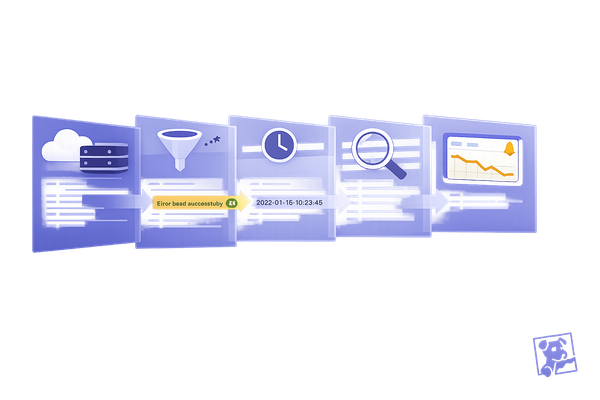
Datadog’s Error Tracking feature organizes errors by type, message, and stack trace. This approach reduces the noise of duplicate alerts by consolidating them into actionable issues. It also provides suspected cause labels - like code exceptions or failed requests - giving you a head start on diagnosing whether the error is new, recurring, or tied to a recent deployment. By centralizing logs, Datadog builds on earlier logging strategies, offering a streamlined way to troubleshoot across your systems.
6.1 Connect Logs to Datadog
The Datadog Agent is key to pulling logs from your application servers, databases, cloud services, and containers into a centralized platform. To get started, install the Datadog Agent on your servers and configure it to capture logs from your applications. For Python, ensure your logging setup is properly configured to work with the agent.
Datadog also offers built-in integrations with AWS, Azure, and Google Cloud, making it easy to automatically collect logs from these platforms. If you’re working with Kubernetes or containers, deploy the agent as a DaemonSet to gather logs from the entire cluster.
Once your logs are centralized, use indexing and archiving to organize them by factors like severity, source, or function. This setup makes searching for specific logs more efficient and allows you to apply retention policies based on importance. For instance, you might keep critical error logs longer while archiving less-critical ones sooner. To manage costs, apply exclusion filters for high-volume logs and set up RBAC (role-based access control) to protect sensitive data.
With your logs centralized and structured, you’re ready to turn this raw data into actionable insights with dashboards and alerts.
6.2 Create Dashboards and Alerts in Datadog
Dashboards are a powerful way to visualize key metrics like error rates, response times, and failure patterns. For example, an e-commerce business might prioritize tracking checkout errors and payment failures, while a SaaS company could focus on authentication errors and API issues. Datadog’s visualization tools also let you map application dependencies, helping you quickly identify which downstream services are affected during an incident.
Anomaly detection is another valuable feature. It flags unusual deviations from normal patterns, reducing false positives and helping you address issues before they escalate. You can also configure recovery alerts to notify your team when problems are resolved, cutting downtime and reducing unnecessary alerts.
Finally, effective tagging is crucial. Tag your logs with details like environment (production, staging, or development), service name, version, and region. These tags make it easier to filter data dynamically on dashboards and create specific alerts. This way, you stay informed about critical issues without being overwhelmed by irrelevant notifications.
7. Secure Log Data
Protecting stored and transmitted logs is just as important as excluding sensitive data from your logs. Log files can inadvertently expose critical information, such as payment details or user credentials. A breach here could lead to fines, loss of trust, and significant financial repercussions.
By combining structured logging with robust security practices, you can safeguard your systems. Datadog provides centralized logging tools that encrypt data, control access, and comply with regulations like GDPR, HIPAA, and PCI-DSS. These measures ensure your logs remain a powerful troubleshooting tool without becoming a security liability.
7.1 Encrypt Logs During Transmission and Storage
Encryption is crucial for protecting logs both in transit and at rest. Without encryption, logs can be intercepted, exposing sensitive information to unauthorized parties.
Datadog simplifies this by encrypting logs during transmission using TLS 1.2 or higher, ensuring secure communication between the Datadog Agent and its servers. This feature is enabled by default, but it’s always a good idea to verify that your Datadog Agent is up to date to benefit from the latest security standards.
For stored logs, Datadog employs AES-256 encryption, the same encryption standard trusted by financial institutions and government entities. This encryption is automatically applied on Datadog's backend, so even if someone gains access to the storage infrastructure, your logs remain protected.
If you manage logs on your own infrastructure, consider encrypting them before they reach Datadog. Cloud platforms like AWS, Azure, and Google Cloud offer built-in encryption options. For instance, AWS provides server-side encryption for S3 buckets, and Azure includes encryption features through Azure Storage Service Encryption.
To further reduce risk, redact sensitive information before logging it. Built-in scanners can help mask sensitive data before it’s logged, adding another layer of protection and ensuring compliance with regulations that restrict the storage of certain types of information.
7.2 Control Access to Logs
Encryption alone isn’t enough - controlling who can access your logs is equally important. Not everyone on your team needs access to every log file. For example, a developer working on a frontend bug doesn’t need to see database logs containing customer payment data. Limiting access reduces the risk of data leaks or misuse.
Datadog’s role-based access control (RBAC) system allows you to define custom roles with specific permissions. For instance:
- Developers might have read-only access to application logs.
- DevOps teams could get full access to infrastructure logs.
- Security analysts might focus solely on security and audit logs.
This ensures team members have the access they need without exposing sensitive information unnecessarily.
In addition to RBAC, implement audit logging to track who accesses logs and when. Datadog automatically records user actions, such as log queries, dashboard views, and configuration changes. Regularly reviewing these audit logs can help you spot unusual activity - like a team member accessing logs outside their normal scope - which might indicate a compromised account or malicious intent.
Enable multi-factor authentication (MFA) for all Datadog users, especially those with administrator privileges. MFA adds an extra layer of protection by requiring a second verification step, making it much harder for attackers to gain access, even if they steal a user’s credentials.
Lastly, set up access logging to monitor who views sensitive log data. This creates a record that’s invaluable for compliance audits and security investigations. For organizations subject to regulations like HIPAA or PCI-DSS, maintaining detailed access logs isn’t just a recommendation - it’s mandatory.
Conclusion
Error logging isn't just a technical task - it’s a deliberate strategy. For small and medium-sized businesses (SMBs), the leap from merely reacting to problems to actively improving systems often hinges on how well logging practices are set up. By prioritizing critical events, standardizing log formats, and ensuring strong security, logs evolve from basic records into essential tools for diagnosing issues and enhancing performance. This comprehensive approach ties all these elements into a unified system.
The practices outlined earlier work together to create a streamlined logging framework. Deciding what to log avoids overwhelming your system with unnecessary data while capturing the most relevant information. Using structured formats like JSON ensures logs are easy to search and machine-readable, while standard log levels make it simple to filter out routine details from urgent alerts. Consistent timestamps are key when troubleshooting across distributed systems, eliminating confusion and saving time.
Platforms like Datadog can simplify many of these processes through automation and centralization. For example, Datadog groups similar errors and labels suspected causes at the moment an issue arises, giving your team a head start on root cause analysis. When combined with strategies like log rotation, retention policies, and focusing on the 80/20 rule for indexed logs - targeting the logs that account for most of your volume - you can achieve full visibility without incurring excessive costs.
Security is a critical layer of your logging strategy. Robust measures not only protect sensitive data but also ensure compliance with regulations such as GDPR, HIPAA, and PCI-DSS, maintaining trust with your customers.
While implementing these best practices requires effort, the benefits are well worth it. Your team will spend less time hunting for issues and more time building new features. Incident responses will be faster, with all the necessary information neatly organized and readily accessible. Most importantly, you’ll gain the confidence to scale your infrastructure as your business grows, knowing your logging system can keep up.
For more tailored guidance on refining and scaling your logging strategy, check out Scaling with Datadog for SMBs. The platform offers expert advice on monitoring, cost management, and best practices designed specifically for SMBs.
FAQs
How can SMBs identify critical events to log without overloading their systems?
To keep your systems running smoothly during logging, small and medium-sized businesses should concentrate on tracking events that directly affect system performance, security, or critical business operations. Start by pinpointing key metrics and incidents that align with your goals - things like application errors, periods of downtime, or unusual user behavior.
Implement log filtering and aggregation to focus on the most important data while either summarizing or discarding less critical details. Tools like Datadog’s logging features allow you to create custom rules to simplify this process. Make it a habit to regularly review and adjust your logging strategy so it stays in sync with your system’s needs and business objectives.
Why is JSON a preferred format for structured logging, and how can it help SMBs troubleshoot more effectively?
JSON has become a go-to choice for structured logging, and it’s easy to see why. It organizes log data into a clear, machine-readable format, making it simple to parse and analyze. For small and medium-sized businesses (SMBs), this translates to faster, more efficient troubleshooting. JSON logs can be quickly searched, filtered, and visualized using tools like Datadog, streamlining the entire process.
With JSON, SMBs can pack their logs with detailed, structured information - think timestamps, error codes, and user actions. This level of detail makes it much easier to pinpoint issues accurately. The result? Less time spent diagnosing problems and a boost in system reliability and performance.
What are the best ways for SMBs to manage log storage costs while keeping essential logs for compliance and troubleshooting?
To keep log storage costs in check, small and medium-sized businesses (SMBs) should pay close attention to log retention policies and data prioritization. Start by determining which logs are essential for compliance, troubleshooting, or business operations. Then, set retention periods that align with these priorities. With tools like Datadog, you can customize retention settings for different log types, ensuring efficient use of storage.
Another smart move is using log filtering to weed out unnecessary or repetitive logs before they’re indexed. This not only trims down storage costs but also ensures that you’re keeping only the most important data. For logs that need to be kept long-term for compliance but don’t require frequent access, consider archiving them in more affordable storage solutions.